For this computer
Windows
Windows 11 · x64
Download for WindowsVersion 0.1.7 · 1.4 MB · Unsigned development build
Windows setup guideDownload
Both installers add the same keyboard: the same spellings, words and keys.
For this computer
Windows 11 · x64
Download for WindowsVersion 0.1.7 · 1.4 MB · Unsigned development build
Windows setup guideFor this computer
macOS 12 or later · Apple silicon and Intel
Download for MacVersion 0.1.7 · 449 KB · Unsigned development build
Mac setup guide4ee05a994963efcb20ab17771edeffb6f956e6103b5ee42a93946340f01cf91ad2b9a5b35aef34cb8c9b384400690278de582f80dc380cba45637adff3db8be2Setup guides
Install the keyboard, turn it on,
then switch to Bamum when you want to type.
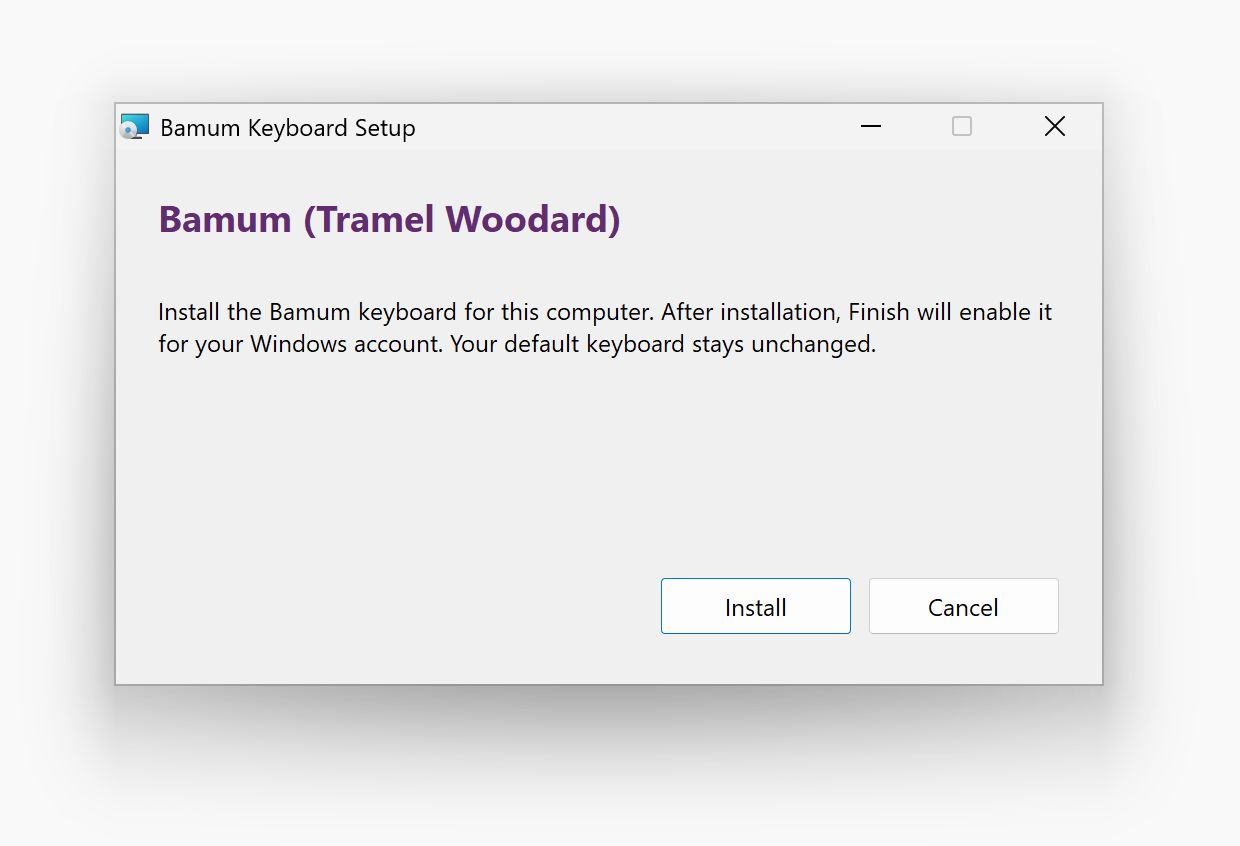
Open the downloaded installer and choose Install.
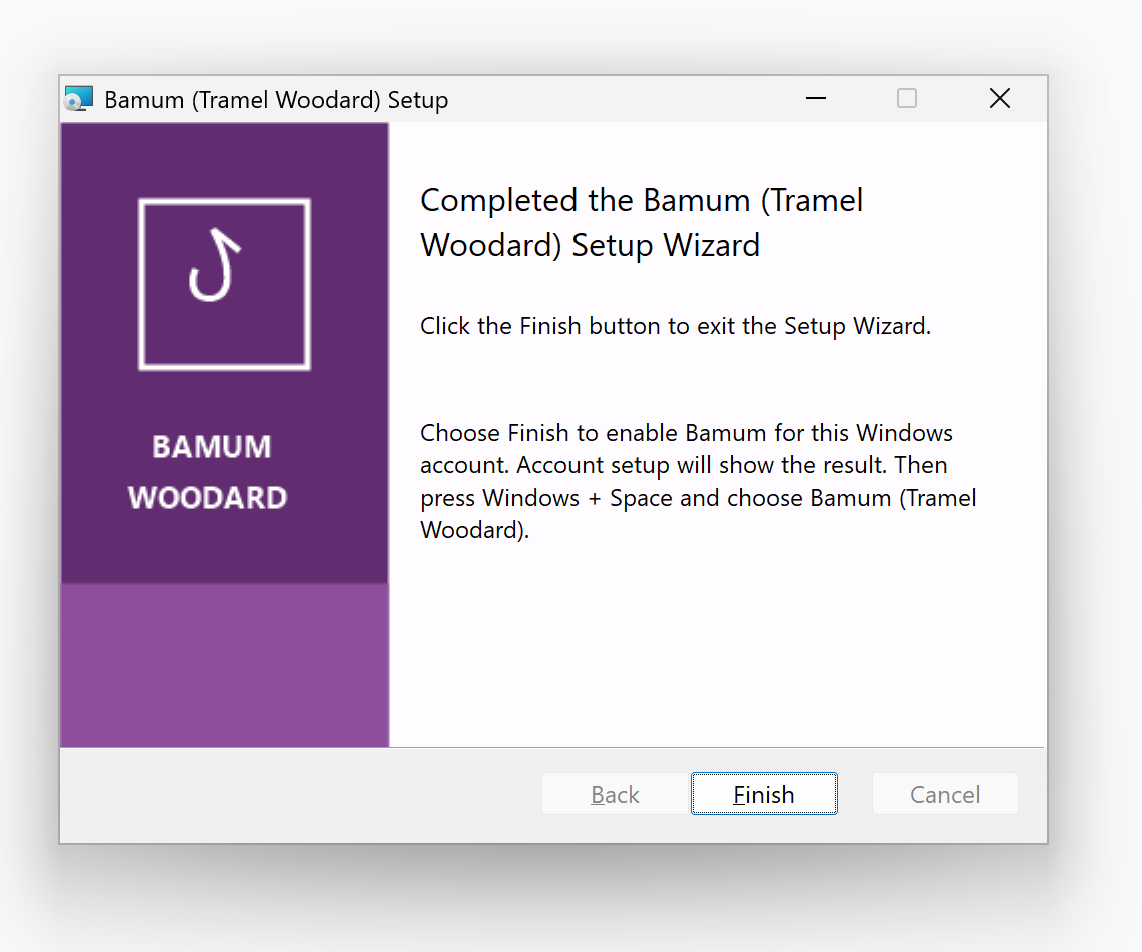
Choose Finish to enable Bamum for this Windows account.
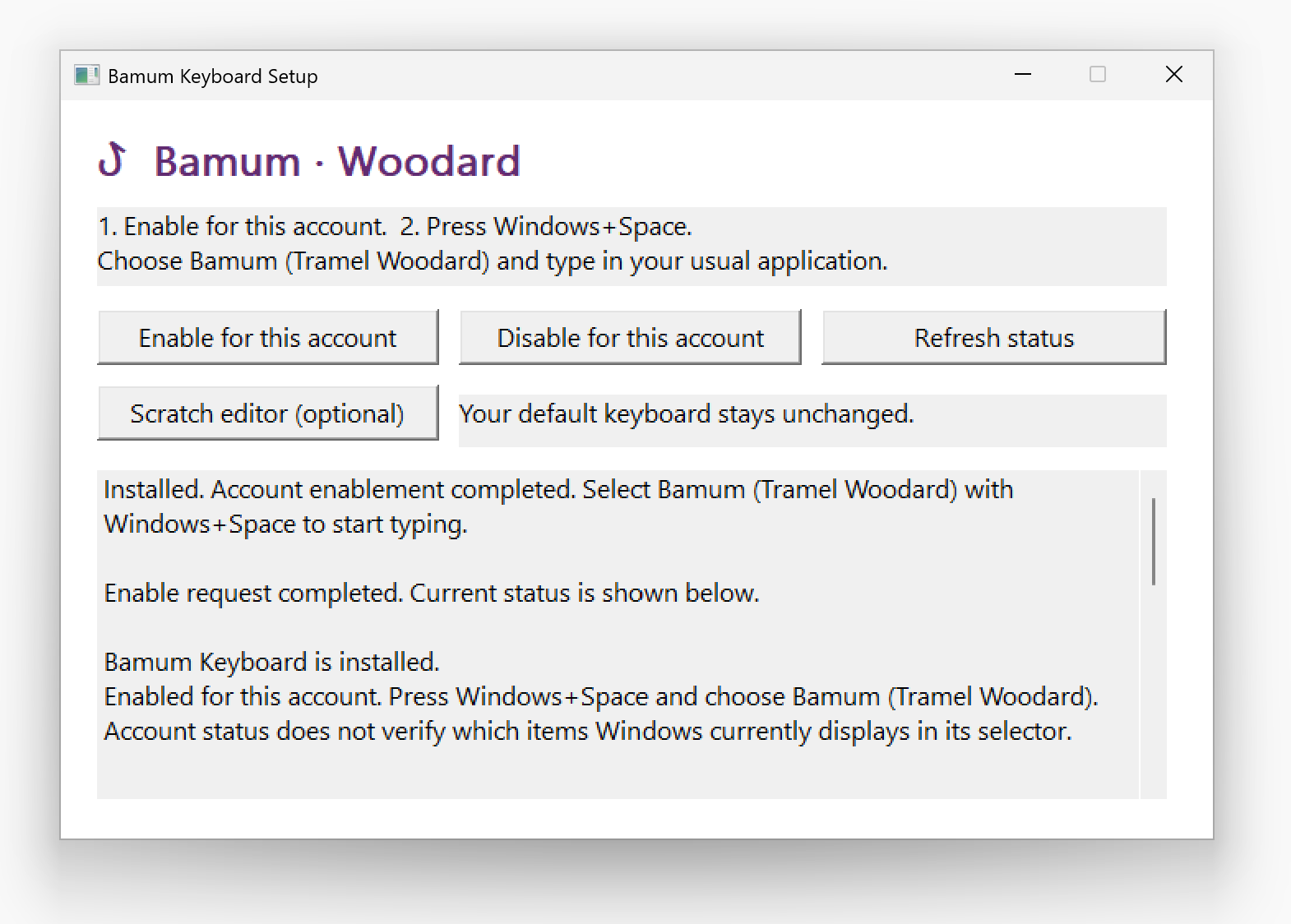
The setup window shows your status. If needed, choose Enable for this account.
Press Windows + Space and choose Bamum (Tramel Woodard).
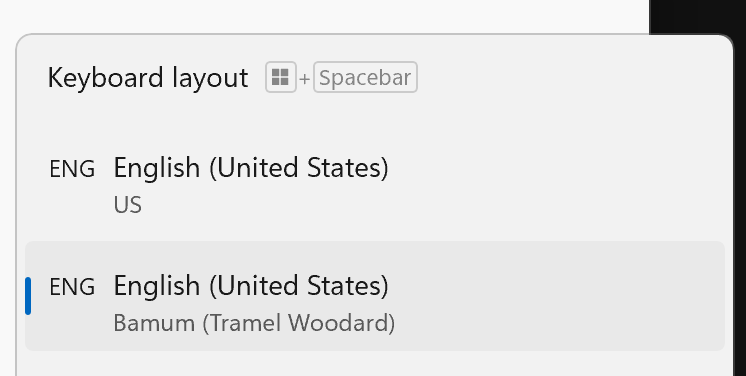
Keep your usual keyboard, too. Switch back at any time with Windows + Space.
If an already-open application still shows an older keyboard, close and reopen it before trying again.
If macOS will not open the installer: this development build is not yet registered with Apple, so macOS may say it cannot verify the developer. Choose Done, open System Settings → Privacy & Security, scroll down and choose Open Anyway.
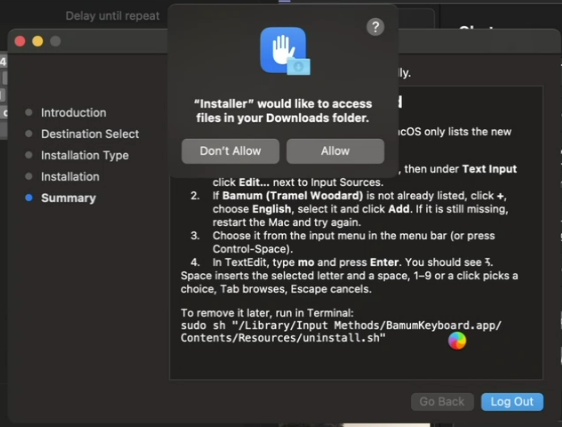
Open the installer and follow its steps. If macOS asks whether Installer may use your Downloads folder, choose Allow. At the end, choose Log Out and log back in.
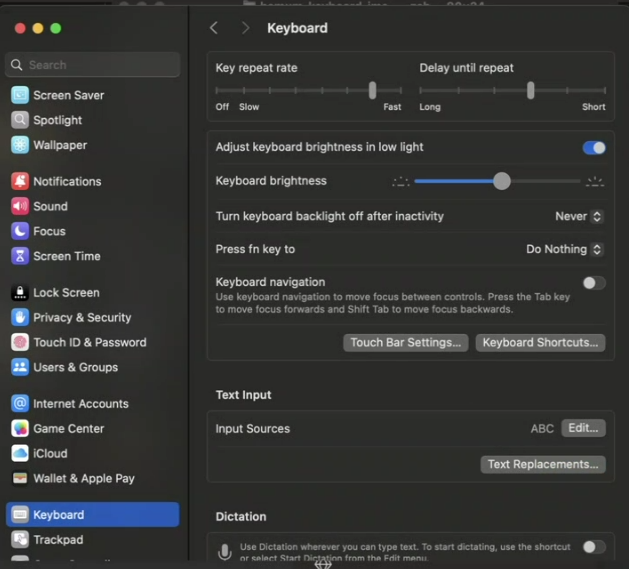
Open System Settings → Keyboard. Under Text Input, choose Edit… next to Input Sources.
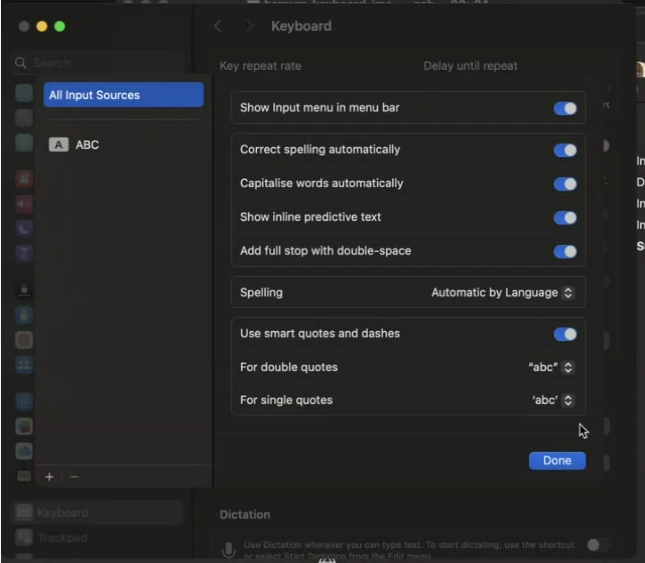
In the list of input sources, choose +.
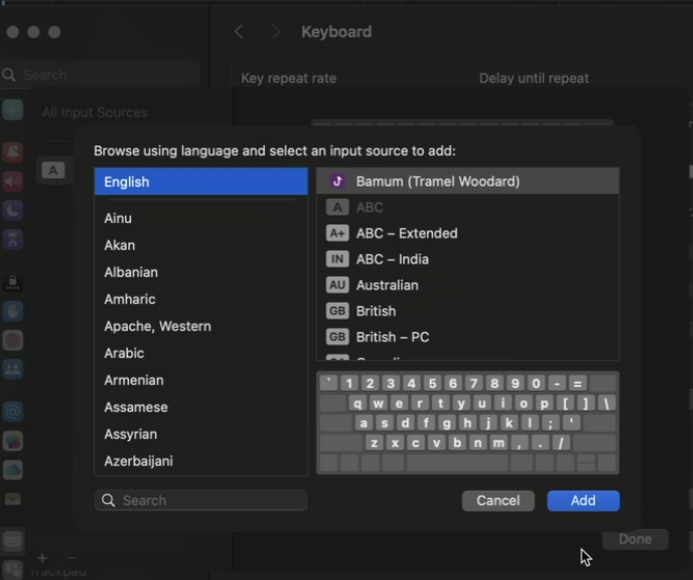
Choose English, select Bamum (Tramel Woodard) and choose Add.
Bamum (Tramel Woodard) now appears in the list. Choose Done.
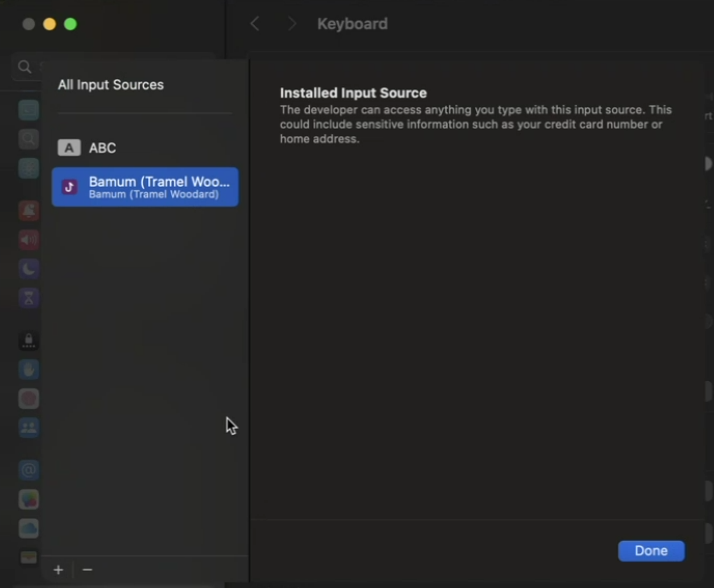
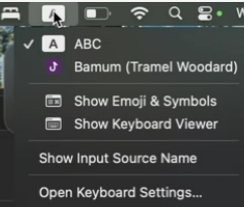
Choose Bamum (Tramel Woodard) from the input menu in the menu bar, or press Control + Space.
About the macOS notice. macOS says the developer can access anything you type with any added keyboard. The Bamum keyboard works only on your Mac: it does not connect to the internet or keep what you type. Switch to your usual keyboard before typing passwords.
If Bamum is not offered after you log back in, restart the Mac and try step 3 again.
Writing with the keyboard
The keys work the same way on Windows and Mac.
Use Woodard spellings for Bamum characters and supported words.
Browse with Tab. Pick a candidate with a number key or a click.
Insert your selection with Enter, or use Space to add a word gap.